Resources
File Setup Guide
Follow these guidelines to ensure your artwork prints perfectly every time.
Quick Reference
| Specification | Requirement |
|---|---|
| Bleed | 0.125" (1/8") on all sides |
| Safe Zone | Keep text/logos 0.125" (1/8") inside trim line |
| Resolution | 300 DPI minimum at final print size |
| Color Mode | CMYK |
| Accepted Formats | PDF (preferred), AI, EPS, PSD, TIFF, JPEG, PNG |
| Fonts | Outlined or embedded in the file |
| Max File Size | 200 MB per file |
Detailed Specifications
Bleed & Safe Zone
Add 0.125" (1/8") bleed on all sides. Keep all important text and logos at least 0.125" (1/8") inside the trim line (safe zone). Anything outside the trim line will be cut off.
Resolution
All images must be at least 300 DPI at the final print size. Low-resolution images will appear pixelated or blurry in print. Screen resolution (72 DPI) is not sufficient.
Color Mode
Submit files in CMYK color mode. RGB files will be converted to CMYK during production, which may cause color shifts. For the most accurate results, convert to CMYK before uploading.
File Formats
We accept PDF (preferred), AI, EPS, PSD, TIFF, and high-resolution JPEG or PNG. PDFs should be flattened with fonts outlined or embedded. Avoid using transparency in non-PDF formats.
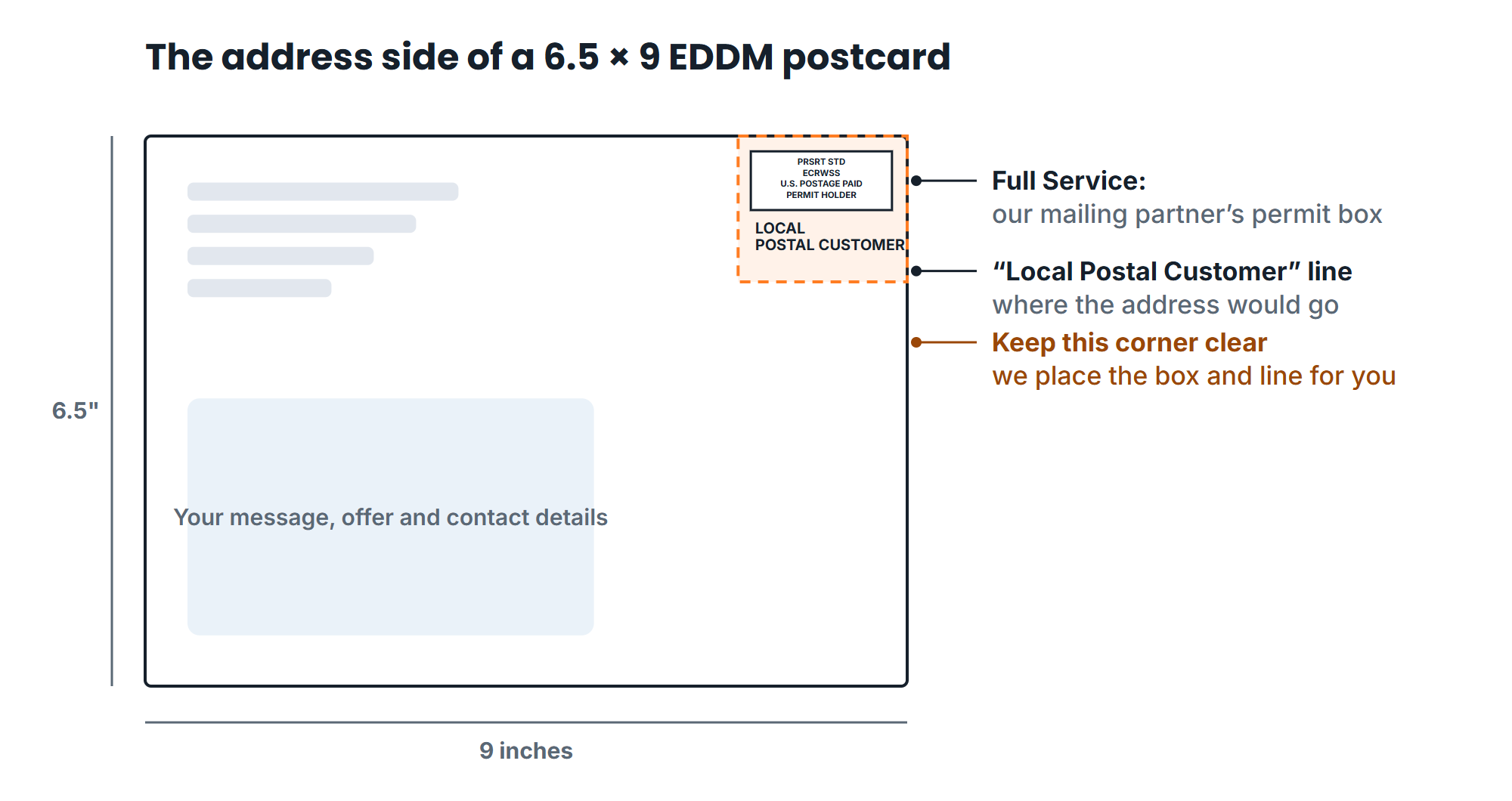
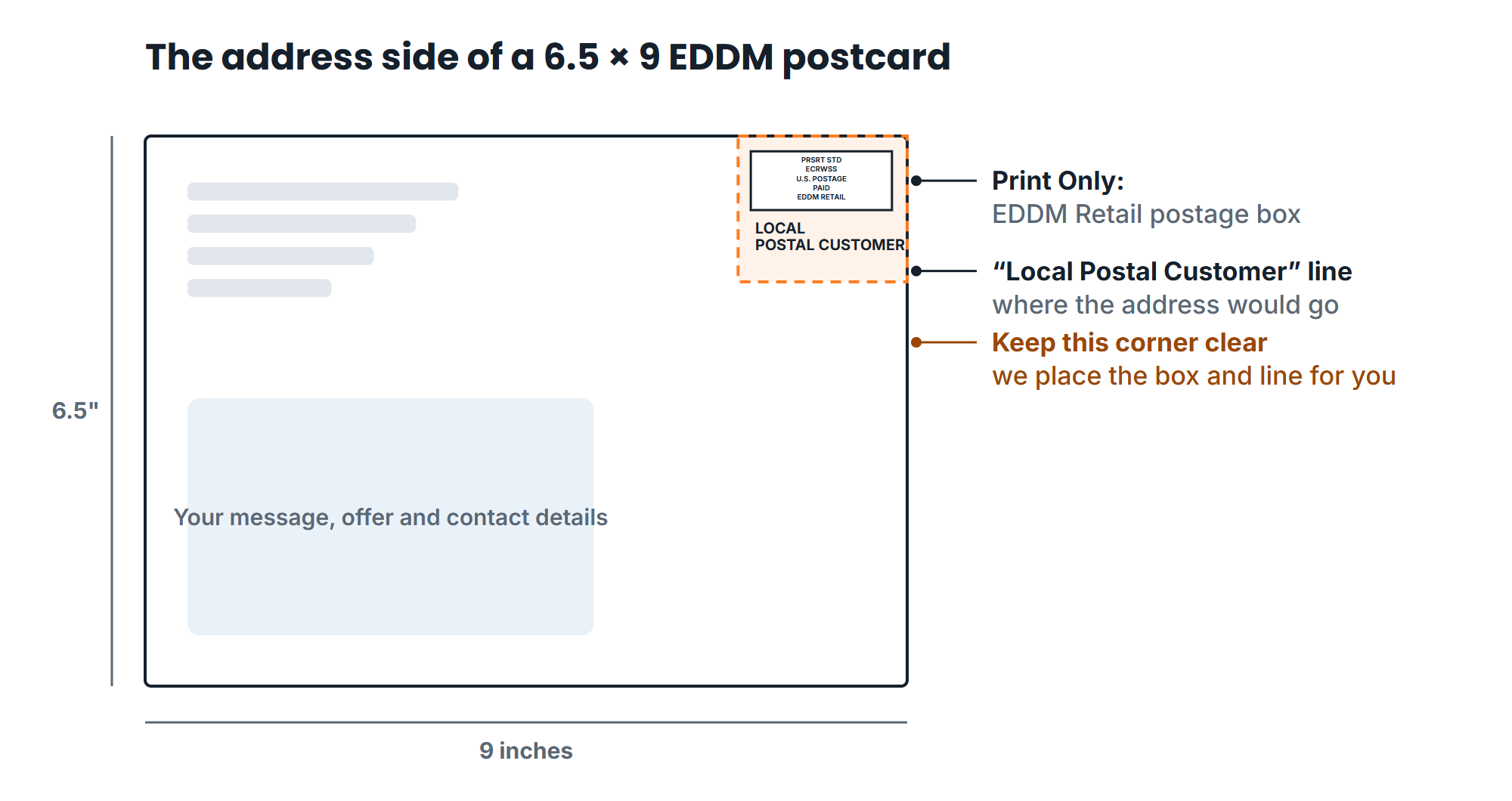
The address side of an EDDM piece
One side of every EDDM piece carries the USPS postage box and the "Local Postal Customer" line. Keep your design out of that corner. Full Service and Print Only use different postage boxes, and our free templates place the right one for you.
Font Tips
Always outline or embed your fonts. If fonts are not embedded in the file, they may be substituted during production, which changes your design's appearance.
In Adobe Illustrator: Select all text, then go to Type → Create Outlines. In InDesign: Use File → Package to collect all fonts and linked images.
Minimum recommended font size is 6pt for body text and 8pt for reversed (white on dark) text. Thin or script fonts may need to be slightly larger to remain legible in print.
Need Help With Your Files?
Our design team can review your files or help you create print-ready artwork. Contact us for assistance.
Not sure your size qualifies? See EDDM sizes and requirements for the USPS rules and every size drawn to scale, then check your artwork with the free EDDM file checker.
Planning an EDDM mailing? The EDDM guide covers the address-side rules: the USPS indicia, the "Postal Customer" line and the clear mailing panel.