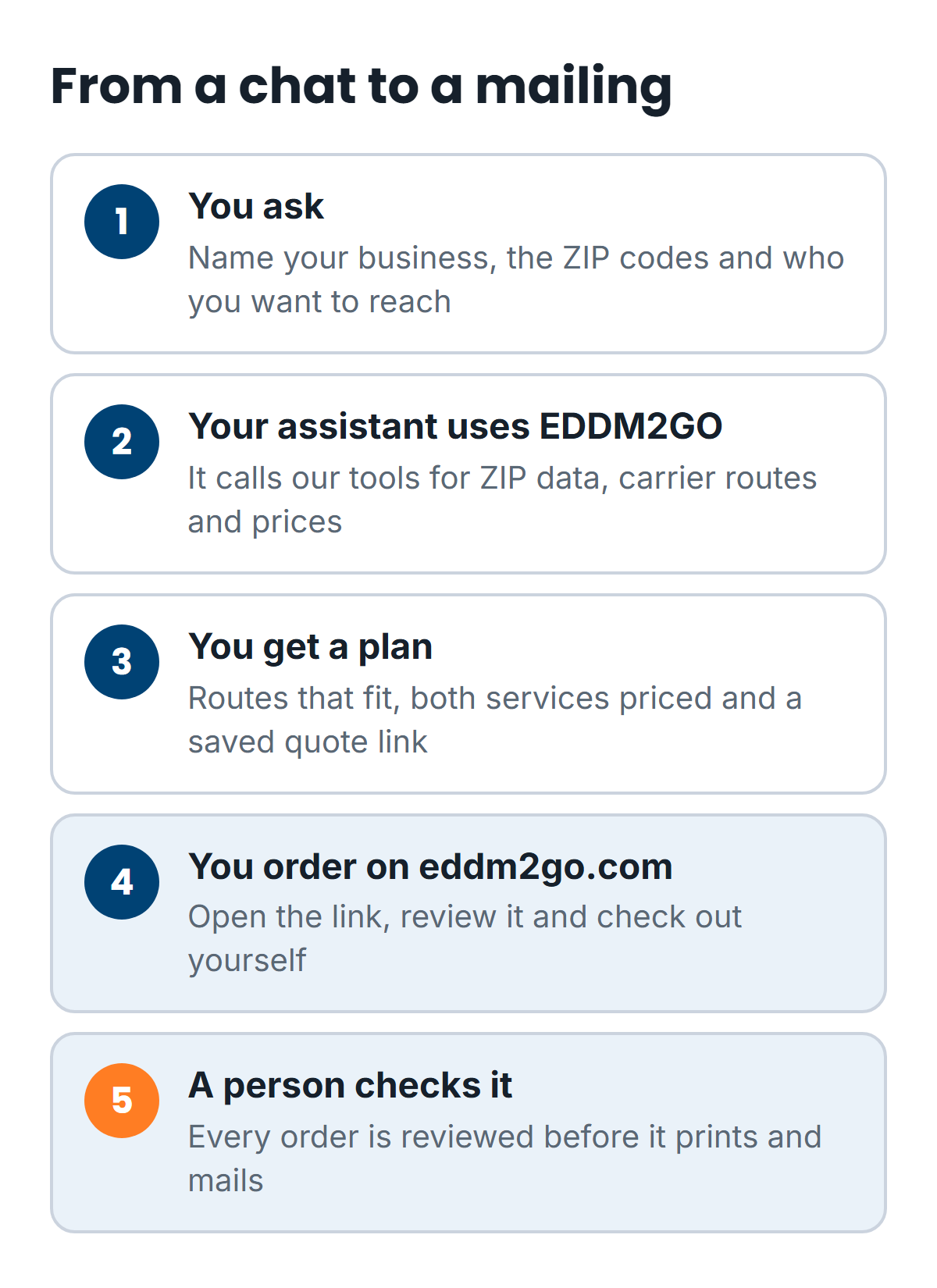
If you already ask an AI assistant to draft emails or fix a spreadsheet formula, you can now ask it to help plan a mailing. Connect it to EDDM2GO, and it can look up ZIP code demographics, find USPS carrier routes that fit your business, price the mailing and save a quote link you order from on eddm2go.com.
It works in Claude, ChatGPT and Gemini, plus other apps that support MCP servers. It needs a free EDDM2GO account, and it takes about two minutes to connect. The assistant does the planning. You still review the quote and place the order yourself.
What your assistant can do once it's connected
MCP stands for Model Context Protocol. In plain English: it's a standard way for an AI assistant to call outside tools. Our MCP server gives your assistant 10 tools and five ready-made prompts, so its answers about your mailing come from our data and rules instead of a guess.
Your assistant picks which tools to use based on your question. Here's what they cover:
- Plan a mailing (plan_mailing). Give it a type of business and a ZIP code. It picks the carrier routes that fit, using the same targeting rules as our route map, prices the mailing and returns a map link with those routes selected.
- Get advice (eddm_advice). Our answers on USPS rules, services, sizes, artwork, ordering and which audience suits each business.
- Find the right page (find_pages). Finds the eddm2go.com page that answers your question, so the assistant can link it.
- Look up places (search_places). Search a city or the start of a ZIP code and get the matching ZIP codes.
- Profile a ZIP code (zip_profile). Census numbers for one ZIP code (income, age, homeowners, households, home values) plus its carrier route totals.
- List routes (list_routes). Every carrier route in a ZIP code, with residential and business counts and an estimated household profile.
- Search routes (find_routes). Searches up to 10 ZIP codes for routes that match income, homeowner, families-with-kids or size filters, and returns the best 25.
- See products (list_products). Every EDDM postcard, flyer and sell sheet size, the papers, and our two services.
- Get a price (get_quote). The current price for a format, size, paper and quantity, from the same pricing our checkout uses. Sales tax is added at checkout.
- Save a quote link (create_quote_link). Saves a quote for the routes you chose, in your name, and returns a private link.
A carrier route is the set of addresses one mail carrier covers. EDDM, the USPS Every Door Direct Mail program, mails to every address on the routes you pick. That's why the route choice matters so much. You don't buy a mailing list. You pick neighborhoods.
Say you run an HVAC company
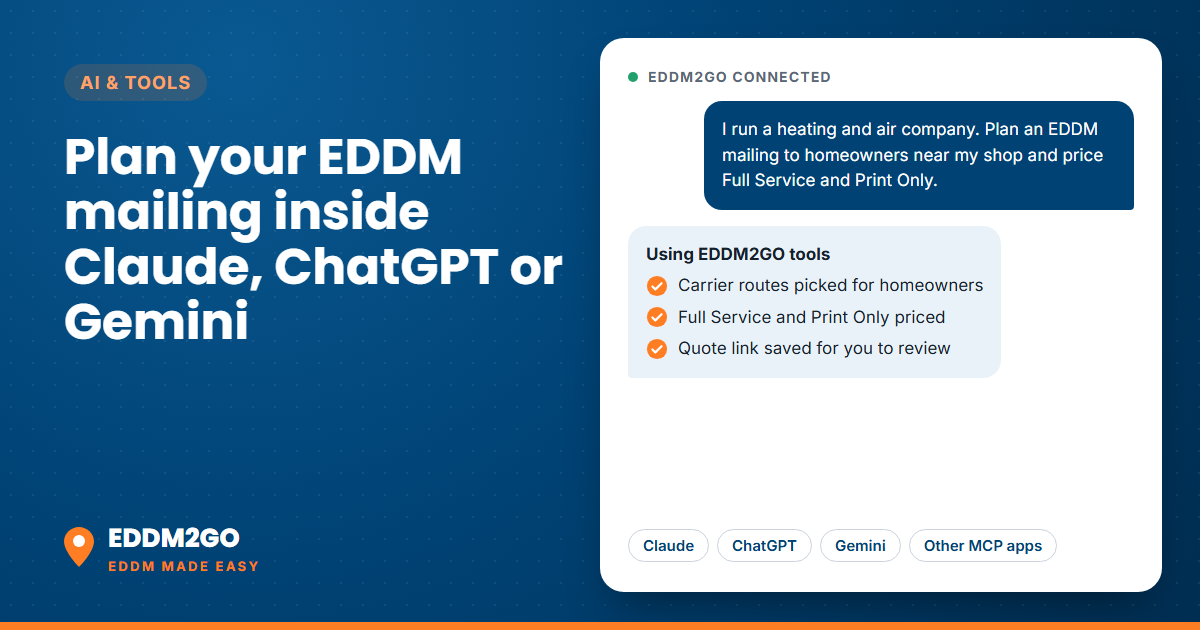
Say you run a heating and air company, and fall tune-up season is coming. You want homeowners near your shop to hear from you before the first cold snap, not after their furnace makes that noise.
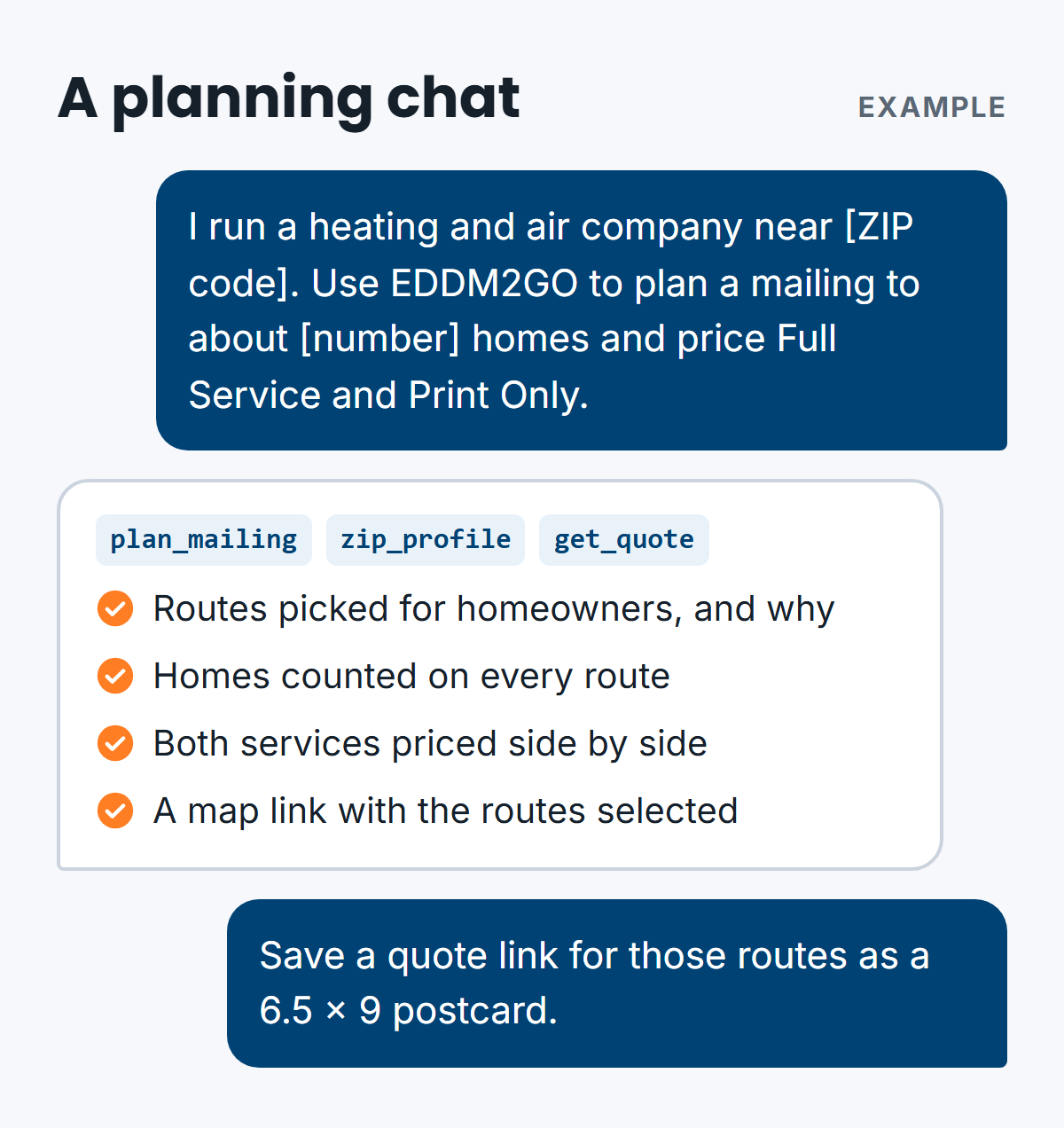
You'd start with the first ready-made prompt from our MCP page, filling in the brackets:
I run a [type of business] near [ZIP code or city]. Use EDDM2GO to plan an EDDM mailing to about [number] homes: pick the routes that fit my business, explain why, price Full Service and Print Only, and link the EDDM2GO pages I should read.
The assistant can pick routes, explain why they fit, and price both services. For an HVAC offer, you'd want routes heavy on homeowners. Renters usually can't say yes to a new system, no matter how good the coupon is.
Next, you might compare two areas you're torn between:
Use EDDM2GO to compare [ZIP code] and [ZIP code]: households, median income, homeowners and families with kids, then the number of carrier routes and homes in each. Which suits a [type of business]?
Then price the piece. We usually suggest a 6.5 x 9 inch postcard as the starting point for a first mailing. It qualifies for EDDM and keeps print cost moderate.
Use EDDM2GO to price a 6.5 x 9 postcard on 16 pt card to [number] homes. Show Full Service and Print Only side by side and tell me what each one includes.
When the plan looks right, ask for the link:
Use EDDM2GO to save a quote link for the routes we picked, as a 6.5 x 9 postcard. Give me the link and the total so I can review it on eddm2go.com.
The answers depend on the ZIP codes you choose and on current prices. You open the link, check the routes, mailer and price, and order on eddm2go.com. Quote links last 14 days. After that, open the routes again to see the current price.
One more thought for the HVAC company. A single mailing is one knock on the door. We'd rather see you mail fewer routes more than once, since people rarely act on the first card. Your assistant can help you plan that split, too.
How it fits the rest of your AI stack
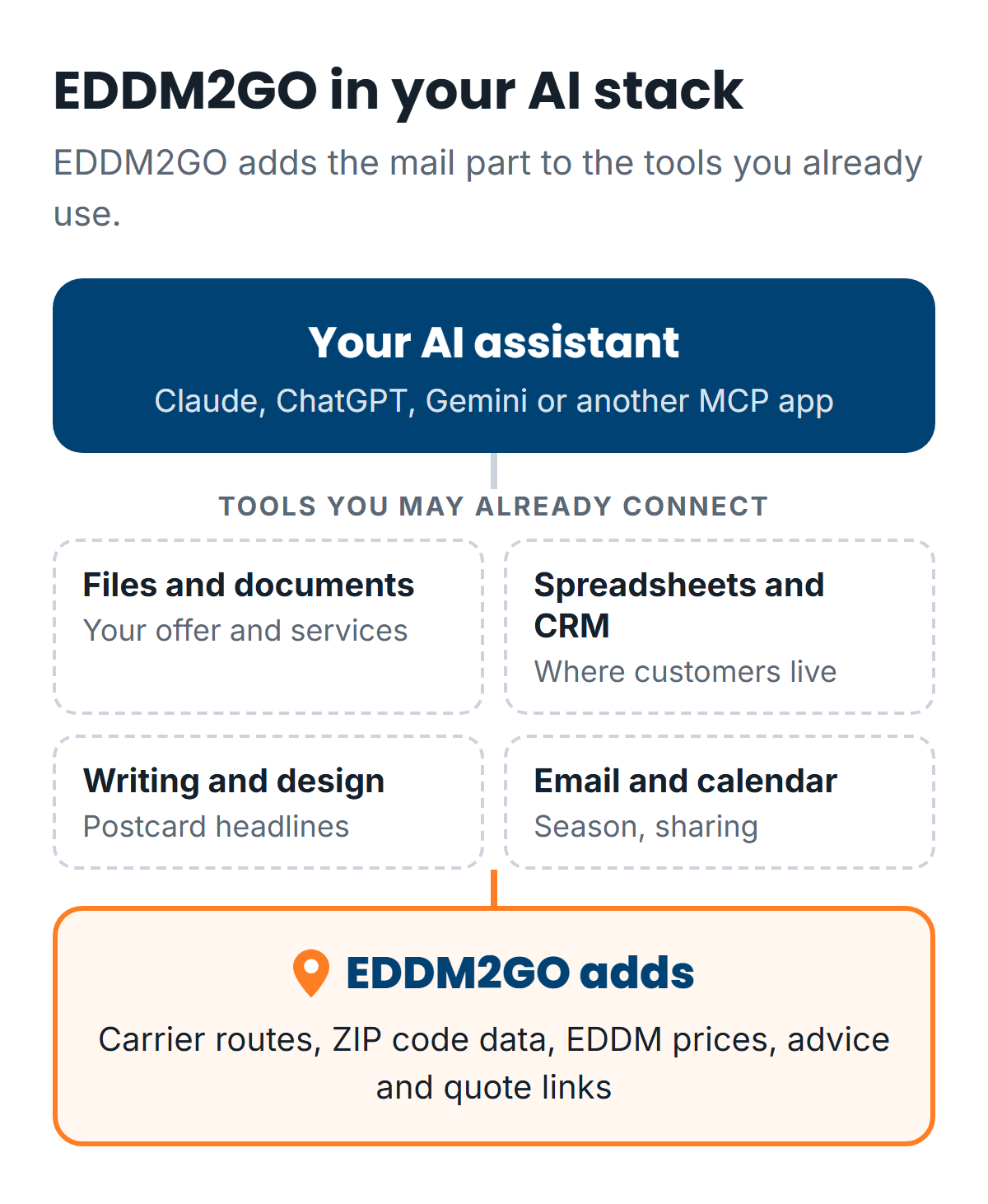
Most assistants let you turn on more than one connector in the same chat. EDDM2GO doesn't replace the tools you already use there. It adds the part they don't have: USPS carrier routes, ZIP code data, EDDM prices and quote links. Your assistant moves between them, so one conversation can go from "who are my customers?" to "which routes should I mail?"
Here's how the pieces can work together:
- Your files and documents. Point your assistant at your service list or this season's offer. It can then ask EDDM2GO which routes fit the people that offer is for, such as homeowners for a tune-up special or families with kids for a back-to-school deal.
- Your spreadsheets and CRM. Ask your assistant which ZIP codes your best customers come from. Then have it use EDDM2GO to profile those ZIP codes and find routes nearby that look like them. Our tools only ask for ZIP codes, places and mailer choices, never names or addresses, so your customer list stays where it is.
- Writing and design help. Your assistant can draft headlines and offers for the postcard. Before you order, run the finished file through our free EDDM file checker. We check every file again before anything prints.
- Email and calendar. Plan the mailing around your busy season, then send the quote link to a partner or manager to review. USPS doesn't guarantee EDDM delivery dates, so leave a buffer before any event.
The thinking happens in your assistant. EDDM2GO's job is to make sure the mail part of the plan uses real route counts and current prices instead of a guess.
How to connect your assistant
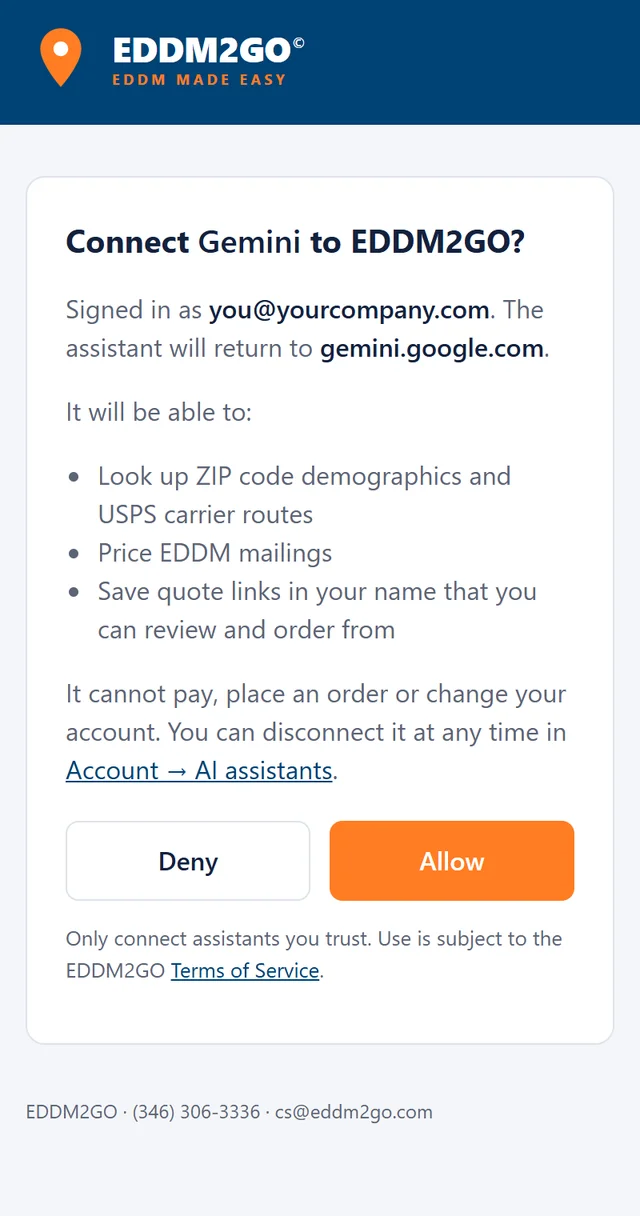
You add one URL to your assistant, then click Allow in an EDDM2GO window. There's no key or code to copy.
- Create a free EDDM2GO account, or sign in, in the browser you'll use.
- Allow pop-ups for your assistant's website. The EDDM2GO sign-in window opens as a pop-up.
- Add this URL to your assistant as a custom connector:
https://www.eddm2go.com/mcp - Click Allow in the EDDM2GO window.
Here's what works today:
- Claude: claude.ai, Claude Desktop and Claude Code.
- ChatGPT: with developer mode turned on. If you don't see developer mode, your ChatGPT plan doesn't offer custom connectors.
- Gemini: the Gemini app (personal Google accounts only, not Workspace accounts) and Gemini CLI.
- Other apps: any MCP app that supports remote servers with OAuth sign-in.
Each app puts the setting somewhere different. Our MCP server page has click-by-click steps for each one, plus fixes for the common snags, like a blocked pop-up.
What it will not do
Connecting an AI assistant to anything deserves a careful look. Here are the boundaries.
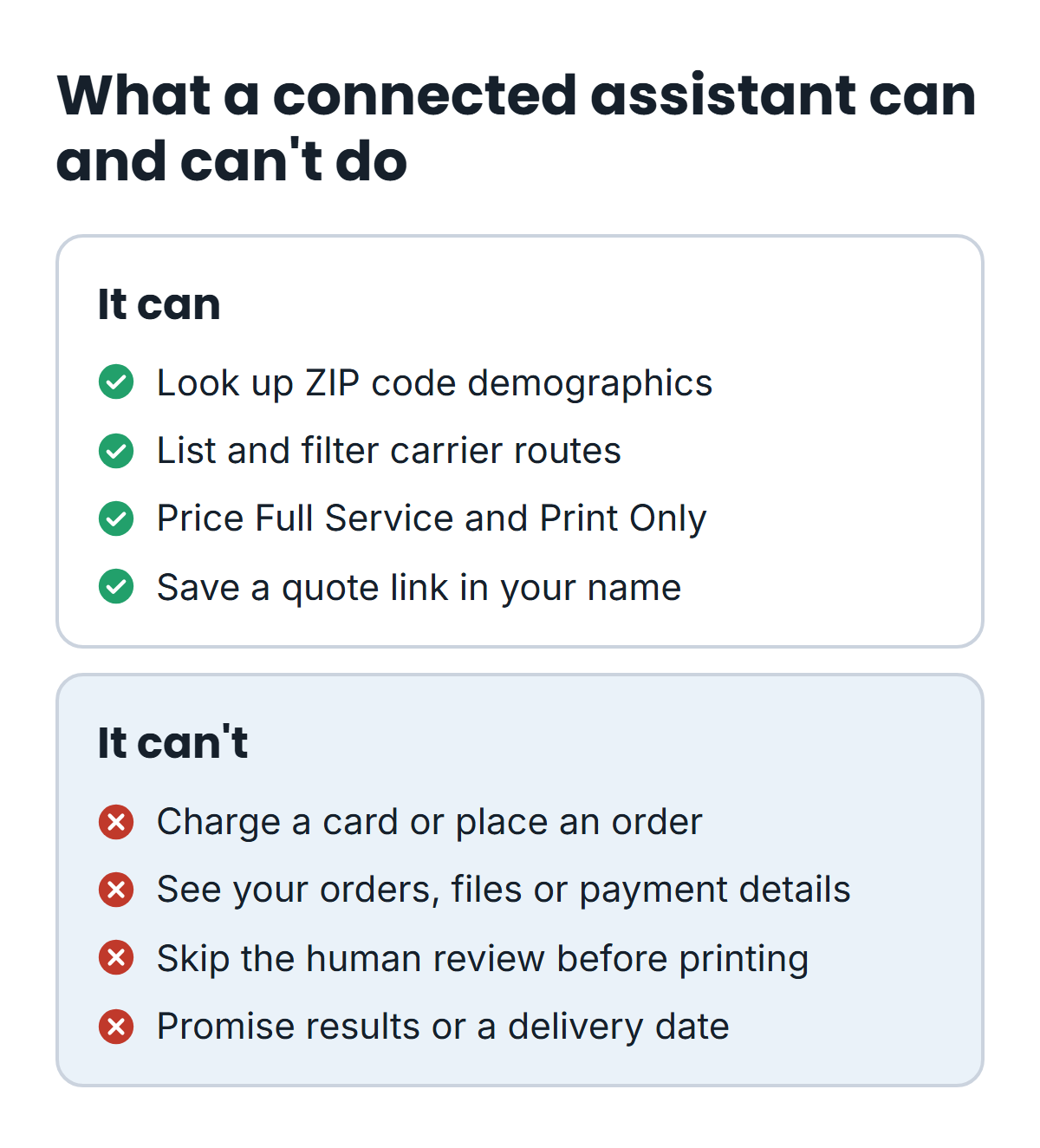
- It can't pay or place an order. An assistant cannot charge a card or place an order. A quote becomes an order only when you open the link, review it and check out yourself on eddm2go.com.
- It can't see your account history. The tools read public data and prices. They can't see your past orders, your files or your payment details.
- A person checks every order. Orders placed from a quote link are reviewed by a person before they print, like every other order.
- The data is an estimate. Demographics are U.S. Census Bureau American Community Survey 5-year estimates, which carry margins of error. Carrier routes and their residential and business counts come from USPS. Route-level household profiles are our estimates built from Census data. They describe neighborhoods, not specific households.
- It doesn't promise results. No tool can tell you how many calls a mailing will bring or the exact day it lands. USPS controls delivery.
There's no separate EDDM2GO AI behind the tools. Your assistant does the thinking, using the same data and rules as our route map.
Frequently asked questions
Does it cost anything?
No. The connection needs a free EDDM2GO account. You pay only if you order a mailing, and you order on eddm2go.com like any other customer.
Is the price my assistant shows the real price?
It comes from the same pricing our checkout uses. Sales tax is added at checkout, and the final route count sets the exact number of pieces. Your quote link shows the price at the time it was saved.
Are there usage limits?
Yes, per account: 300 tool calls a day, 60 different ZIP codes a day and 30 calls a minute. That covers planning several mailings. If you need more, call or email us.
How do I disconnect?
Open Account, then AI assistants, on eddm2go.com and click Disconnect next to the app. Removing the connector in your assistant's own settings works too.
What if I'd rather not use an AI assistant?
That's fine. Our route map shows the same carrier routes and counts, and our guide on how to select EDDM routes walks through choosing them by hand.
Get set up
Create a free account and follow the steps for your app on our MCP server page. Then ask your assistant to plan a mailing for your ZIP code and see what it finds. Not sure which service to price? Our Full Service vs Print Only guide lays out who does what.